How to Save Your Canva Design as a Print-Ready PDF for Printcloud.ca
✅ How to Save Your Canva Design as a Print-Ready PDF for Printcloud.ca
The Ultimate Guide to Printing Foam Boards, Roll-Up Banners, Flyers, Business Cards & More in Toronto
If you’ve designed a beautiful flyer, roll-up banner, foam board, or conference workbook in Canva and are ready to bring it to life, this guide is for you.
At Printcloud.ca, we help Canadians — especially those in Toronto and the Greater Toronto Area (GTA) — print their Canva creations quickly and professionally. Whether you're a business owner, event organizer, or traveler preparing for a tradeshow or conference, we specialize in same-day printing and fast delivery across Canada.
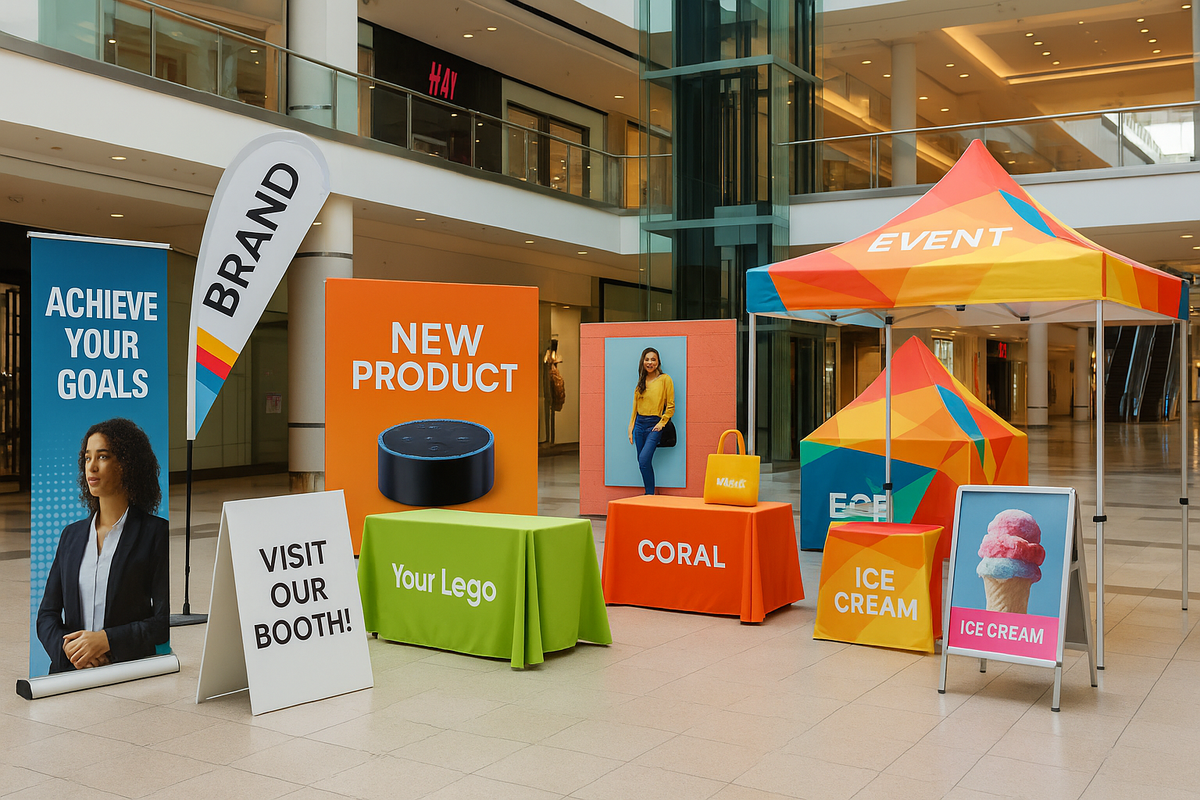
🖨️ What We Print from Canva
We regularly print:
✅ Foam Boards
✅ Roll-Up Banners
✅ Flyers & Brochures
✅ Business Cards
✅ Large Format Banners
✅ Document Printing
✅ Workbooks & Manuals
✅ Conference Kits
✅ Badges & Lanyards
We’re faster than Staples, Vistaprint, and other online printers — and we offer FREE delivery to hotels and venues in the GTA.
🧑💻 Step-by-Step: Exporting a Print-Ready PDF from Canva
✅ Step 1: Set Correct Dimensions in Canva
Use the correct canvas size for the product you're printing. Here's a quick reference:
| Product | Canva Design Size (inches) |
|---|---|
| Business Cards | 3.5” x 2” (add bleed) |
| Flyers | 5.5” x 8.5” or 8.5” x 11” |
| Roll-Up Banners | 33” x 80” or custom |
| Foam Boards | 18” x 24”, 24” x 36” or custom |
| Workbooks & Documents | 8.5” x 11” (standard letter size) |
| Badges/Lanyards | 3” x 4” or custom |
📝 Tip: Always include 0.125" bleed on all sides (that’s 0.25" extra in width and height total) to avoid any white edge after trimming.
✅ Step 2: Download as a Print-Ready PDF
In Canva:
-
Click “Share” (top right corner)
-
Choose “Download”
-
Select File Type: PDF Print
-
Check these options:
-
✅ Crop marks and bleed
-
✅ Flatten PDF (recommended for complex designs)
-
-
Click Download
Your file will now be print-ready — high-resolution, with bleed and crop marks, perfect for Printcloud.ca.
🔄 Need to Print Conference Badges with Names?
We’ve made badge and lanyard printing effortless. Just send us:
-
✅ One badge design in Canva (PDF)
-
✅ A spreadsheet with names and job titles
Our team will merge the data into your design for free — no additional charge. We’ll generate individual print files for every attendee, speaker, or guest.
Perfect for:
-
Conferences
-
Trade Shows
-
Seminars
-
Networking Events
📦 We can even deliver the finished badges in lanyards directly to your hotel or venue — same-day in Toronto.
📁 Uploading to Printcloud.ca
Once your print-ready PDF is saved:
-
Go to Printcloud.ca
-
Choose your product
-
Upload your file
-
Pick quantity, specs, and turnaround
-
Complete checkout — we handle the rest!
🚀 Why Printcloud is Better Than Vistaprint or Staples
We’re built for speed, quality, and customer care — right here in Toronto.
| Feature | Printcloud.ca | Staples / Vistaprint |
|---|---|---|
| Same-Day Printing/Next Day Printing | ✅ Yes | ❌ Unavailable or Limited |
| Free Venue/Hotel Delivery (GTA) | ✅ Yes | ❌ Not Available |
| Data Merge for Badges | ✅ Free | ❌ Paid or Limited |
| Local Customer Support | ✅ Real People | ❌ Outsourced |
| Custom Sizes from Canva | ✅ No Problem | ⚠️ Sometimes Limited |
📦 Popular delivery destinations in Toronto include:
-
Metro Toronto Convention Centre (MTCC)
-
Beanfield Centre
-
Enercare Centre
-
Hotel X, Fairmont Royal York, Westin Harbour Castle
-
Exhibition Place and more
💡 Pro Tips for Perfect Print Results
| Tip | Why It Matters |
|---|---|
| Always use PDF Print | Best quality for text and vector graphics |
| Include bleed and crop marks | Ensures proper trimming without losing content |
| Design in CMYK colors | More accurate color match in print |
| Use 300 DPI images | Prevents blurry or pixelated prints |
| Keep text 0.25" from edges | Avoids accidental cutting of important info |
🧠 Final Thoughts
Canva makes designing easy — and Printcloud.ca makes printing in Canada even easier.
From foam boards and flyers to badges and booklets, we help turn your ideas into premium print materials with same-day service and nationwide delivery.
We’re based in Toronto — and we understand how critical tight timelines can be for events, marketing, and business needs.
✅ Ready to Print?
Visit Printcloud.ca to upload your Canva file now.
📧 Need help with badges, name merges, custom sizes, or rush jobs?
Email us at support@printcloud.ca — we’ll respond quickly and walk you through it.